
Social Media Tools: Content Creation, Scheduling & Analytics Software
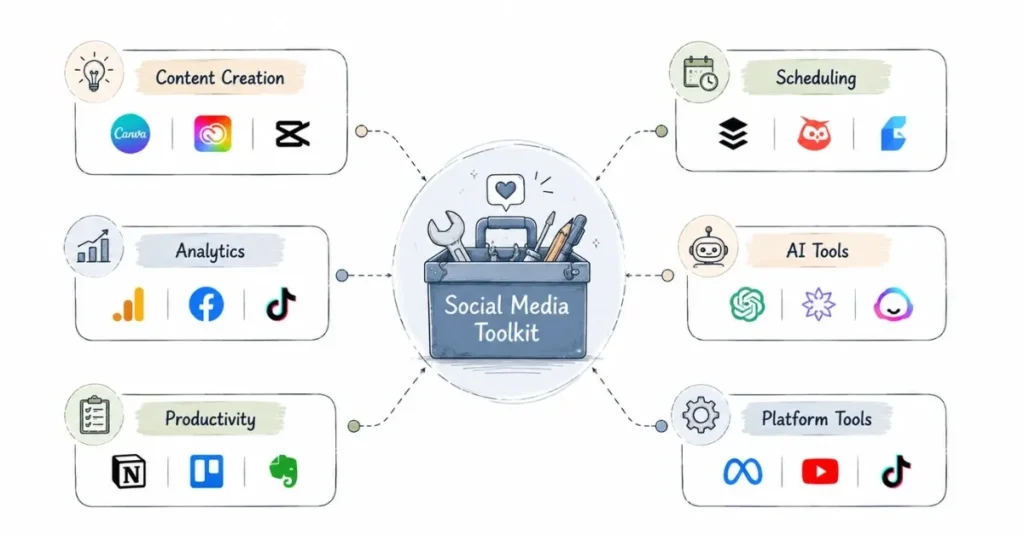
Table of Contents
Introduction: Why the Right Tools Matter
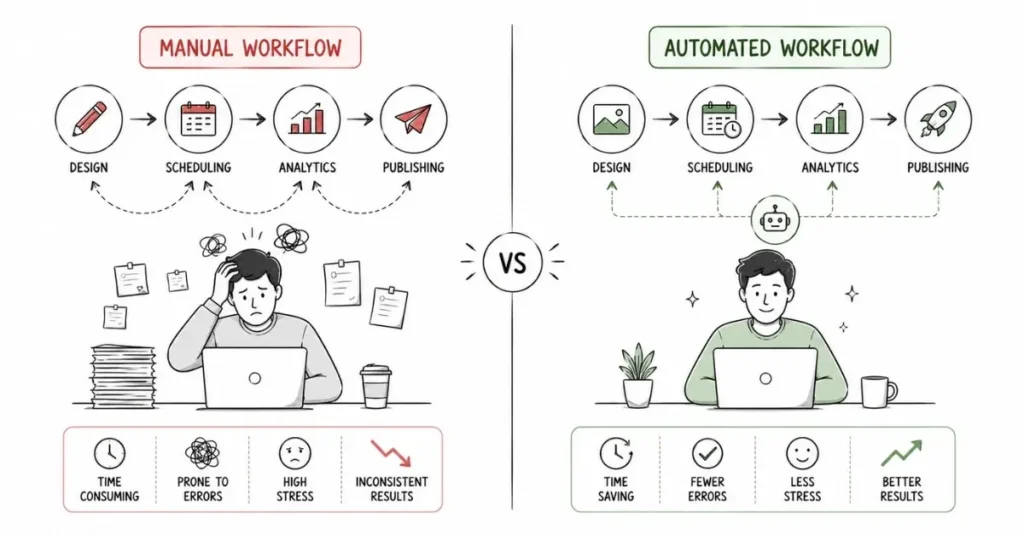
Imagine trying to build a house with just your bare hands technically possible, but painfully inefficient and producing suboptimal results. The same principle applies to social media management and content creation. While you could theoretically manage everything manually, the right tools dramatically increase your efficiency, improve content quality, provide data-driven insights, and allow you to scale your efforts beyond what’s humanly possible working alone.
The social media tools landscape in 2026 offers unprecedented options spanning every aspect of digital content work from design and video editing to scheduling and analytics. However, this abundance creates a new challenge: tool overwhelm. Many beginners waste money subscribing to expensive platforms they barely use or jump between tools constantly without mastering any. Meanwhile, professionals strategically build focused tech stacks containing 5-8 essential tools they use daily, becoming highly proficient with each.
This comprehensive guide helps you build your ideal social media toolkit whether you’re a content creator just starting out, a social media manager handling client accounts, or part of a marketing team at a growing company. You’ll understand what tools exist across each category, how to evaluate options based on your specific needs and budget, detailed comparisons of leading platforms, and recommendations for beginners versus advanced users. Most importantly, you’ll learn to make strategic tool investments that pay for themselves through saved time and improved results.
Content Creation Tools: Design and Visual Content
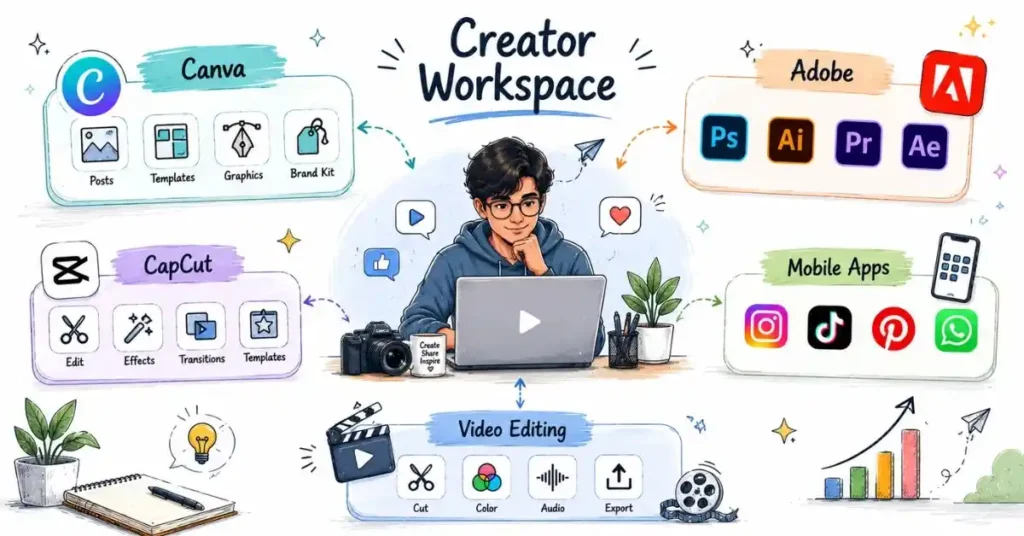
Creating eye-catching visuals is fundamental to social media success across all platforms. Here’s how tools stack up across skill levels and budgets:
Canva: The Swiss Army Knife for Beginners and Professionals
Canva has become the default design tool for social media professionals worldwide, and for good reason. The platform offers an intuitive drag-and-drop interface requiring zero design experience, thousands of templates specifically optimized for every social media format (Instagram posts, Stories, Reels covers, YouTube thumbnails, LinkedIn banners), a massive library of stock photos, illustrations, icons, and graphics, basic video editing capabilities for short social videos, and brand kit functionality maintaining consistent colors, fonts, and logos across all designs.
Canva Free provides extensive functionality perfect for beginners and individual creators unlimited designs, 250,000+ free templates, 100+ design types, and basic photo editing. Canva Pro (₹499/month or ₹4,500/year) adds valuable features including background remover (instantly removing backgrounds from photos), magic resize (instantly reformatting designs for different platforms), 100+ million premium stock photos and elements, brand kit with unlimited brand fonts and colors, content scheduler for direct social media publishing, and priority support.
Who should use Canva: Anyone creating social media content, especially those without formal design training. Social media managers, content creators, small business owners, and marketing teams all benefit. Start with the free plan and upgrade to Pro once you’re using it daily and the premium features would save significant time.
Adobe Creative Cloud: Professional-Grade Power
For serious creators and professional designers, Adobe’s suite remains the industry standard. The collection includes Photoshop for advanced photo editing and manipulation, Illustrator for vector graphics and logo design, Premiere Pro for professional video editing, After Effects for motion graphics and animation, Lightroom for photo organization and batch editing, and Express (Adobe’s Canva competitor) for quick social media graphics.
Adobe Creative Cloud requires steeper learning curves but offers vastly more control and capabilities than simplified tools. The full suite costs approximately ₹1,600/month for individuals, while single-app subscriptions cost around ₹600-800/month. Student discounts reduce costs significantly.
Who should use Adobe CC: Professional content creators earning significant income from their work, marketing agencies serving multiple clients, creators specializing in photography or videography, and professionals requiring advanced editing capabilities Canva cannot provide. The investment only makes sense if you’ll use these tools extensively and the quality improvement justifies the cost.
Mobile-First Creation Apps
Many successful Indian creators produce all content directly on smartphones using mobile apps:
CapCut (free) offers professional video editing capabilities including multi-layer editing, transitions and effects, text animations, music and sound effects, and easy export to various platforms. It’s particularly popular for Instagram Reels and YouTube Shorts creation.
InShot (free with watermark; ₹300/year removes watermark) provides video and photo editing, collage making, and direct social media sharing optimized for vertical video formats.
VSCO (₹200-300/month) specializes in photo editing with film-like filters and professional adjustment tools popular among aesthetic-focused Instagram creators.
Snapseed (free from Google) offers surprisingly powerful photo editing with professional features like selective adjustments, healing brush, and perspective correction entirely free.
Who should use mobile apps: Creators comfortable with smartphone workflows, those creating primarily Stories and Reels content, beginners wanting to start without software investment, and creators prioritizing speed and convenience over advanced features.
Video Editing: Desktop Solutions
For YouTube creators and those producing longer video content:
DaVinci Resolve (free) provides professional-grade video editing, color correction, and audio post-production entirely free. The learning curve is significant, but capabilities rival paid professional software.
Final Cut Pro (₹29,900 one-time purchase) is Mac-exclusive editing software favored by many professional YouTubers for its magnetic timeline and optimization for Apple hardware.
Filmora (₹3,500-7,000/year) offers middle-ground sophistication more capable than mobile apps but more user-friendly than Premiere Pro, ideal for intermediate creators.
Who should use desktop video editing: YouTube creators publishing long-form content regularly, professionals producing client video content, creators wanting advanced editing capabilities like multi-cam editing or complex effects, and those whose income justifies investment in premium tools.
Social media is fundamentally about building relationships, not broadcasting messages. Professional managers dedicate significant time to community management, which includes responding promptly to comments, questions, and direct messages. You’ll engage proactively with relevant conversations in your industry, commenting on other accounts’ posts to increase visibility. You’ll monitor brand mentions across platforms even when you’re not directly tagged. You’ll handle negative feedback or complaints professionally, often de-escalating situations that could damage brand reputation.
Community management is time-intensive and often happens outside traditional work hours since your audience is active evenings and weekends. Setting boundaries while maintaining responsiveness is an important skill to develop.
Scheduling and Social Media Management Tools

Managing multiple social platforms efficiently requires scheduling tools that allow batching content creation and maintaining consistent publishing schedules.
Buffer: Simplicity and Affordability
Buffer: Simplicity and Affordability
Buffer has built its reputation on being straightforward and user-friendly. The platform offers clean, intuitive interface requiring minimal training, calendar view visualizing your content schedule, basic analytics showing post performance, browser extensions for easy content sharing, and mobile apps for on-the-go management.
Buffer Free supports three social accounts (one of each platform type) with 10 scheduled posts per channel genuinely useful for beginners unlike most “free” plans that are essentially demos. Buffer Essentials (approximately ₹5,000/month) supports eight social accounts with unlimited scheduling. Buffer Team (approximately ₹10,000/month) adds collaboration features for teams.
Key Limitation: Buffer lacks advanced features like social listening, inbox management, or bulk scheduling hundreds of posts simultaneously. It’s a focused tool doing a few things exceptionally well rather than trying to be everything.
Who should use Buffer: Solo creators and consultants managing small numbers of accounts, small businesses wanting straightforward scheduling without complexity, beginners learning social media management, and anyone prioritizing ease of use over advanced features. Buffer’s free plan is genuinely useful for testing whether scheduling tools fit your workflow.
Hootsuite: Comprehensive Enterprise Solution
Hootsuite provides more robust capabilities suited for agencies and larger organizations. Features include bulk scheduling (schedule up to 350 posts at once from CSV uploads), comprehensive analytics and custom reports, social listening monitoring brand mentions and keywords, unified inbox managing messages across all platforms, team collaboration with approval workflows, and extensive integrations with other marketing tools.
Limitation: No free tier plans start around ₹5,000/month for professionals and scale to ₹30,000+/month for teams and agencies. The interface can feel overwhelming compared to Buffer’s simplicity.
Who should use Hootsuite:Digital marketing agencies managing multiple client accounts, marketing teams at established companies, social media managers handling 10+ accounts, organizations requiring approval workflows and team collaboration, and professionals who need advanced analytics and reporting capabilities justifying the investment.
Meta Business Suite: Free Facebook and Instagram Management
Meta’s native tool manages Facebook Pages and Instagram Business accounts from one platform completely free. It includes post scheduling and publishing, unified inbox for messages and comments, basic analytics and insights, and ad account management.
Limitations: Only works for Facebook and Instagram (not YouTube, LinkedIn, Twitter), fewer advanced features than dedicated tools, and no content calendar view across multiple accounts.
Who should use Meta Business Suite: Anyone managing Facebook and Instagram who doesn’t need other platforms, small businesses wanting free functionality, creators supplementing other tools for Meta platforms specifically, and those managing single brands rather than multiple client accounts.
Later: Visual Planning for Instagram
Later specializes in visual content planning, particularly Instagram. Features include visual content calendar with drag-and-drop scheduling, “Linkin.bio” tool creating clickable Instagram landing pages, hashtag suggestions and saved groups, Instagram first comment scheduling, and user-generated content management.
Later Free supports one social set (one of each platform) with 10 posts per profile monthly. Paid plans start around ₹2,000/month.
Who should use Later: Instagram-focused creators and brands, visually-oriented businesses (fashion, food, lifestyle), small businesses managing primarily Instagram presence, and creators wanting visual planning specifically.
Comparison: Which Scheduling Tool Should You Choose?
Choose Buffer if you want simplicity, affordability, and manage fewer accounts. Choose Hootsuite if you need advanced features, manage many accounts, or work in agency/team environments. Choose Meta Business Suite if you only use Facebook and Instagram and want completely free functionality. Choose Later if Instagram is your primary platform and visual planning is essential.
Many professionals use combinations Meta Business Suite for Facebook/Instagram, Buffer for LinkedIn and Twitter, and native YouTube Studio for YouTube.
Analytics and Performance Tracking Tools
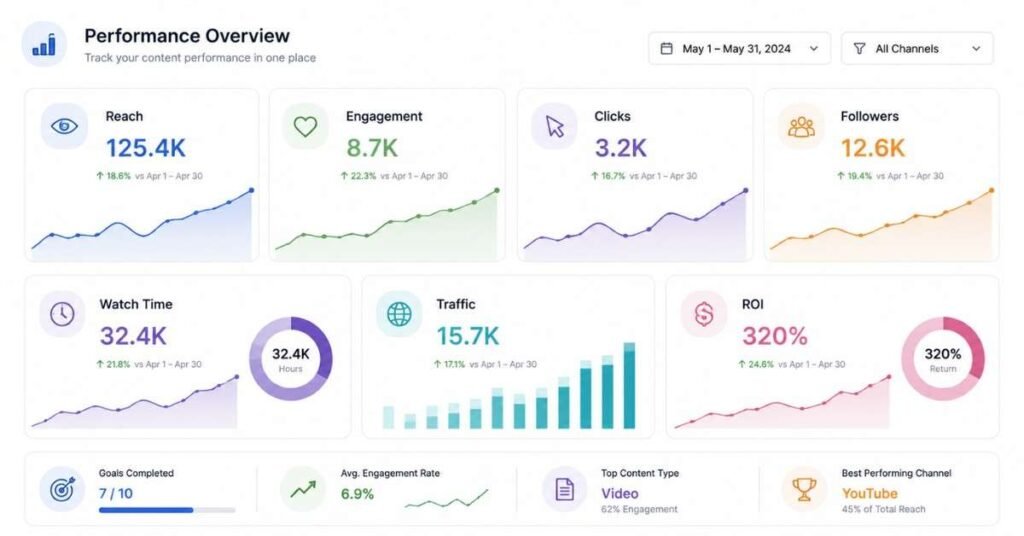
Understanding what content works requires robust analytics. Here’s how tools compare:
Native Platform Analytics: Your Starting Point
Every major platform provides built-in analytics completely free:
Instagram Insights (available for Business and Creator accounts) shows reach and impressions, follower demographics and growth, content performance by type, profile visits and external clicks, and activity patterns (when followers are active).
YouTube Analytics provides incredibly detailed data including watch time and audience retention graphs, traffic sources (search, suggested, external), subscriber growth and demographics, revenue reports (for monetized channels), and real-time performance tracking.
LinkedIn Analytics shows post impressions and engagement rates, follower demographics, profile views and search appearances, and article/newsletter performance.
Facebook Insights tracks page likes and follower growth, post reach and engagement, video performance metrics, and audience demographics.
Start with native analytics they’re free, platform-specific, and provide all essential data most creators and managers need. Only invest in third-party tools when native analytics no longer meet your needs.
Google Analytics: Understanding Website Traffic
If you’re driving traffic to a website or blog from social media, Google Analytics (free) is essential. It tracks website visitors from each social platform, user behavior once on your site, conversion tracking for sales or leads, and audience demographics and interests.
Set up UTM parameters (tracking codes in URLs) to precisely attribute traffic and conversions to specific social posts and campaigns.
Who should use Google Analytics: Anyone with a website or blog, businesses selling products online, service providers generating leads through social media, and professionals tracking conversion beyond just engagement.
Sprout Social: Enterprise-Grade Analytics
Sprout Social provides comprehensive analytics and reporting across all platforms. Features include cross-platform reporting comparing performance across channels, competitive benchmarking against competitors’ social performance, custom report builder for stakeholder presentations, sentiment analysis of brand mentions, and team performance tracking (for agencies managing multiple staff).
Limitation: Expensive plans start around ₹15,000/month per user, making it viable only for established agencies or larger brands.
Who should use Sprout Social: Marketing agencies reporting to multiple clients, brands with substantial social media budgets, marketing teams needing sophisticated reporting for executives, and organizations requiring competitive analysis and social listening features justifying the premium cost.
Simplified Alternatives
For most solo creators and small businesses, native platform analytics supplemented with Google Analytics (both free) provide sufficient data. When you need cross-platform visibility without Sprout Social’s cost, consider Google Sheets or Looker Studio (free) to manually compile data from various platforms into unified dashboards.
AI and Productivity Tools
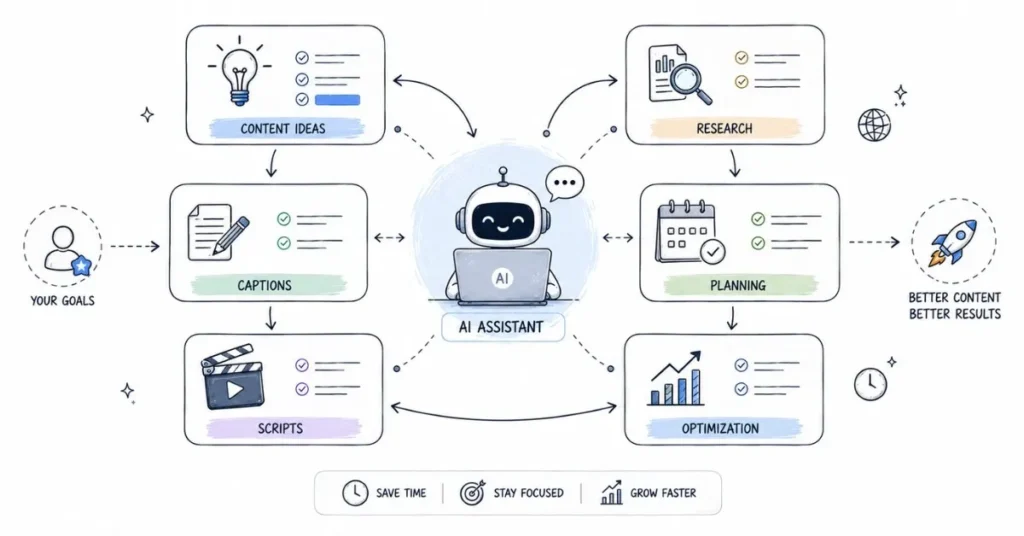
Artificial intelligence tools are transforming social media workflows in 2026, helping with ideation, content creation, and optimization.
ChatGPT: The Universal Writing Assistant
ChatGPT (free tier available; ChatGPT Plus ₹1,500/month) has become indispensable for content creators and social media managers. Use cases include caption writing and variations, content ideation and brainstorming, script writing for videos, trend analysis and explanation, strategy development, and repurposing content across formats.
Effective Usage: Provide detailed context in prompts (your niche, audience, brand voice) for better outputs. Use ChatGPT for first drafts and inspiration, then edit extensively adding your unique voice don’t publish AI-generated content without personalization. Treat it as a brainstorming partner rather than replacement for your creativity.
Who should use ChatGPT: Everyone in social media it’s that universally useful. The free tier provides substantial value, upgrade to Plus only if you use it heavily and need priority access during peak times.
Canva AI Features
Canva Pro includes AI capabilities like text-to-image generation creating custom graphics from descriptions, background removal with one click, and magic resize adapting designs to different dimensions automatically.
Grammarly: Writing Quality Assurance
Grammarly (free with premium ₹1,000/month) catches spelling and grammar errors, suggests tone and clarity improvements, and checks for plagiarism (premium). It integrates into browsers and writing apps providing real-time feedback.
Who should use Grammarly: Anyone writing public-facing content, non-native English speakers wanting confidence in their writing, professionals wanting to maintain polished communication, and content creators publishing written content regularly. The free version catches most errors; premium adds advanced suggestions.
Other Productivity Tools
Notion (free for individuals) organizes content calendars, campaign plans, brand guidelines, and team collaboration the ultimate workspace for social media managers.
Trello (free with premium ₹400/month) provides Kanban-style project management ideal for tracking content production workflows.
Loom (free for videos up to 5 minutes; ₹1,000/month for unlimited) records quick video messages useful for client updates, team training, or video content ideas.
Calendly (free for basic scheduling) eliminates back-and-forth emails when scheduling calls with clients, collaborators, or interview subjects.
Platform-Specific Creator Tools
Some tools cater to specific content types:
For YouTubers:
- TubeBuddy or VidIQ (free tiers available) provide keyword research, SEO optimization, thumbnail A/B testing, and competitor analysis
- Descript (₹1,000-3,000/month) offers video editing through text transcription editing incredibly efficient for talking-head content
For Instagram Creators:
- Unfold (₹200/month) creates stylish Stories templates
- Mojo (₹500/month) produces animated Stories and Reels quickly
- Planoly (free tier available) provides visual Instagram planning
For LinkedIn Creators:
- Shield Analytics provides detailed LinkedIn profile analytics beyond native insights
- Hypefury (₹2,000/month) schedules LinkedIn posts and threads with advanced features
Building Your Tool Stack: Strategic Recommendations
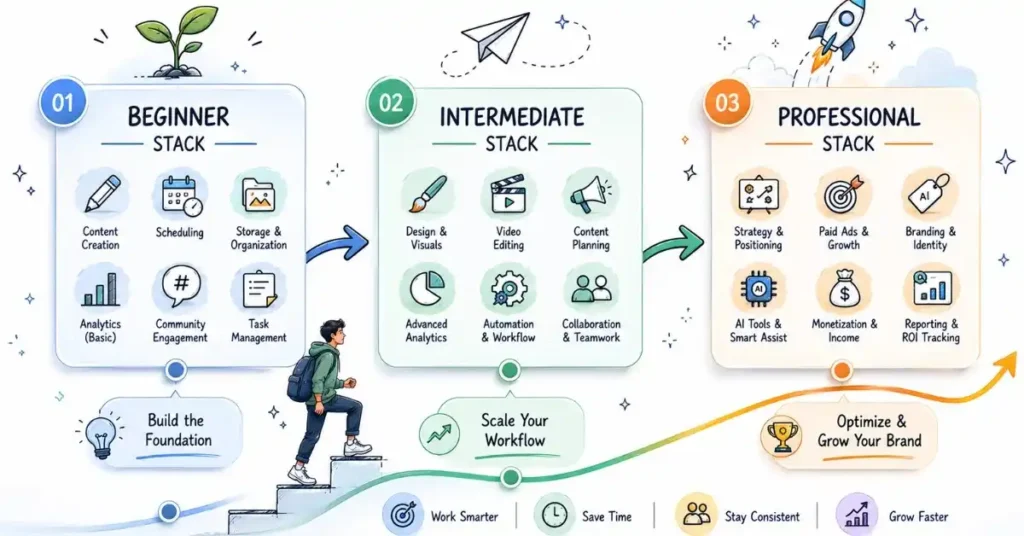
Rather than subscribing to everything, build a focused stack matching your needs and budget:
Beginner Creator Stack (₹0-1,000/month):
- Design: Canva Free
- Video editing: CapCut (mobile) or DaVinci Resolve (desktop)
- Scheduling: Buffer Free or Meta Business Suite
- Analytics: Native platform insights
- AI assistance: ChatGPT Free
- Writing: Grammarly Free
- Organization: Notion Free
Total cost: ₹0 (completely free but fully functional)
Intermediate Creator/Manager Stack (₹2,000-5,000/month):
- Design: Canva Pro (₹500/month)
- Video editing: CapCut Pro or Filmora (₹500/month)
- Scheduling: Buffer Essentials (₹5,000/month for team) or continue free options
- Analytics: Native + Google Analytics + manual reporting
- AI assistance: ChatGPT Plus (₹1,500/month)
- Writing: Grammarly Premium (₹1,000/month)
- Organization: Notion (free/paid based on team size)
Total cost: ₹3,000-5,000/month
Professional Agency/Team Stack (₹15,000-30,000/month):
- Design: Adobe Creative Cloud (₹1,600/user) or Canva Teams
- Video editing: Adobe Premiere Pro (included in CC)
- Scheduling: Hootsuite Team (₹10,000-15,000/month)
- Analytics: Sprout Social (₹15,000/user) or native + custom dashboards
- AI assistance: ChatGPT Plus for team
- Collaboration: Notion Teams, Asana, or Monday.com
- Additional: Platform-specific tools as needed
Total cost: ₹20,000-40,000/month depending on team size
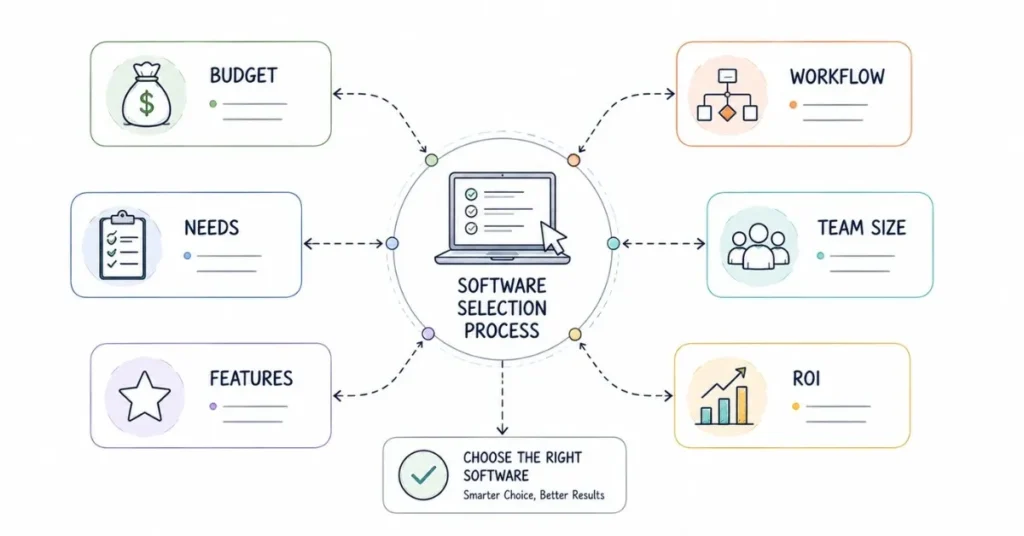
Evaluating New Tools: Key Questions
Before subscribing to any tool, ask yourself:
Does this solve a genuine problem I’m experiencing? Don’t adopt tools just because others use them identify specific pain points first.
Will this save me time or improve quality enough to justify the cost? Calculate how many hours monthly the tool saves and whether that justifies subscription fees.
Can I achieve 80% of this functionality with free tools I already use? Often free tools provide sufficient capabilities don’t pay for premium features you won’t use.
Is there a free trial to test before committing? Most quality tools offer 7-30 day trials use these extensively before subscribing.
Will I actually use this regularly, or will it join my graveyard of abandoned subscriptions? Be honest about your likelihood of consistent usage.
Does this integrate with my existing workflow, or create additional friction? Tools should simplify workflows, not complicate them with additional platforms to check.
Common Tool Mistakes to Avoid
Tool Hopping: Constantly switching between tools prevents you from mastering any. Choose thoughtfully, then commit to learning one tool deeply before exploring alternatives.
Subscription Sprawl: It’s easy to accumulate ₹10,000+ in monthly subscriptions for tools you barely use. Audit subscriptions quarterly, canceling anything not providing clear value.
Overcomplicating: Beginners often adopt enterprise-level tools with features they’ll never use, paying for complexity they don’t need. Start simple and upgrade only when you’ve outgrown current tools.
Ignoring Free Tiers: Many professionals successfully operate using primarily free tools. Don’t assume paid automatically means better for your specific needs.
Not Learning Properly: Subscribing to powerful tools but only using 10% of capabilities wastes money. When you invest in a tool, invest time learning it through tutorials and experimentation.
The Future of Social Media Tools
Looking ahead, expect continued AI integration helping with content creation, analytics insights, and optimization. More automation reducing manual repetitive tasks through intelligent workflows. Better cross-platform functionality as tools improve multi-platform management. Increased creator-specific features as platforms and tools cater to professional creators. And privacy-first analytics as regulations increase data protection requirements.
The tools landscape will continue evolving maintain flexibility and willingness to adopt new solutions when they clearly improve your workflow and results.
Conclusion: Tools Amplify Skills, Don't Replace Them
The right tools dramatically increase your efficiency and capabilities, but they’re amplifiers of existing skills, not replacements for fundamental knowledge. A person with deep social media expertise using free tools will consistently outperform someone with surface-level knowledge using premium software.
Invest first in developing your core competencies understanding platform algorithms, creating compelling content, engaging authentically with audiences, and analyzing performance data. Then strategically adopt tools that amplify these skills, allowing you to work faster and more effectively.
Start with free tools building your skills and proving your commitment before investing in premium subscriptions. Upgrade strategically when you’ve outgrown current capabilities and the investment clearly pays for itself through time savings or improved results. Build a focused tool stack you master deeply rather than accumulating subscriptions you barely use.
Your social media success ultimately comes from your creativity, strategy, and consistency not your software subscriptions. Choose tools that support your work without becoming the focus of it. Now get out there and create the tools are just waiting to amplify your unique voice and vision.