
How to Build a Winning Graphic Design Portfolio: Tips & Examples
Table of Contents
Why Your Portfolio Matters More Than Your Resume
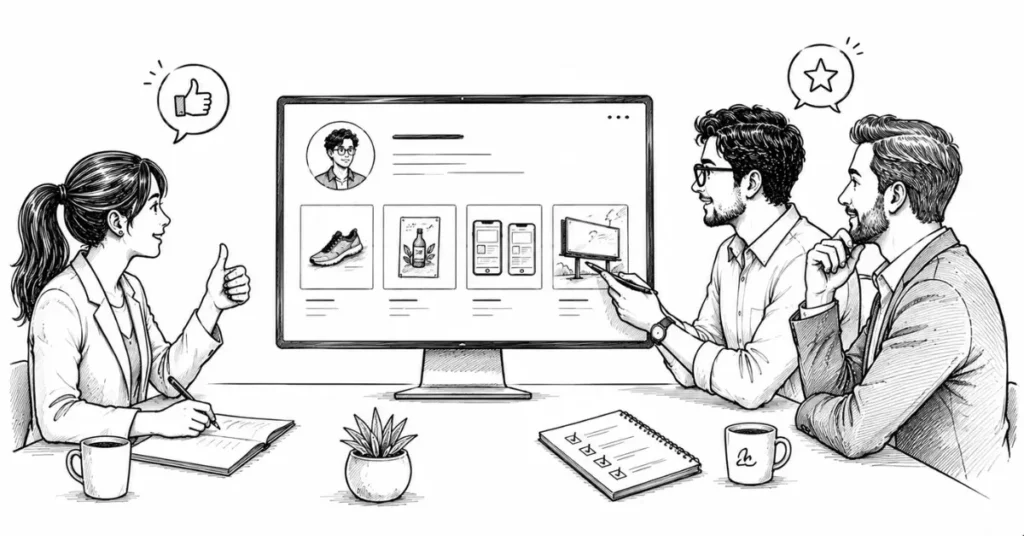
For graphic design roles, your portfolio is your single most important asset. Recruiters, agency owners, and clients may glance at your resume, but they decide in seconds based on your work:
- Can this person solve visual problems?
- Do they understand real-world requirements?
- Is their taste and attention to detail strong enough for our brand or clients?
Degrees, certificates, and tools are secondary. Your portfolio is proof.
What a Strong Portfolio Looks Like (In 2026)
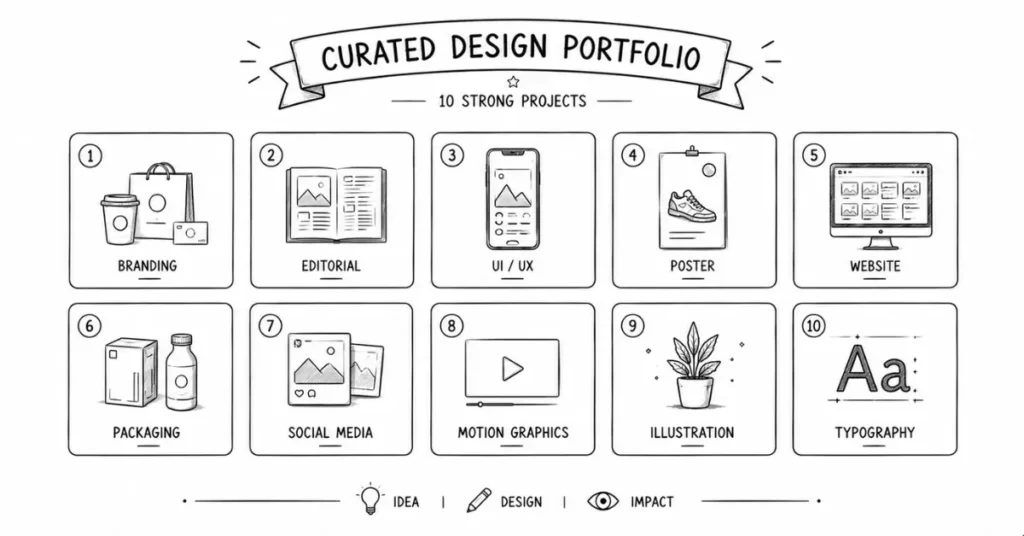
Aim for 8–12 strong projects, not 30 average ones. Each project should show:
- A clear problem or goal.
- Your thought process.
- Your design solution.
- Realistic applications and mockups.
Mix of work is ideal:
- Branding / logo + identity.
- Social media and digital campaigns.
- Web / UI layouts.
- Motion or video graphics (if you do them).
- Print / editorial (if relevant).
- 1–2 personal or passion projects.
Step 1: Decide Your Focus (But Show Breadth)
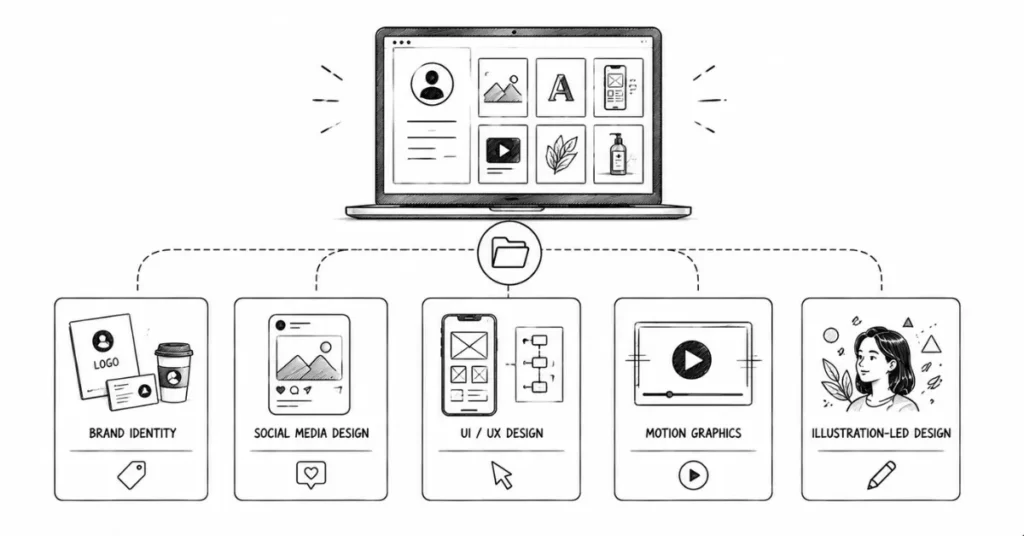
You don’t have to lock yourself into one niche immediately, but some direction helps.
Possible focuses:
- Brand identity & logo design.
- Social media / marketing design.
- UX/UI and product design.
- Motion graphics and video design.
- Illustration-led design.
For Indian fresher roles, a mixed portfolio with a slight focus (e.g., “brand + social” or “UI + brand”) works very well.
Step 2: What to Include in Each Project (Case Study Format)
Treat every important project as a mini story, not just a gallery of images.
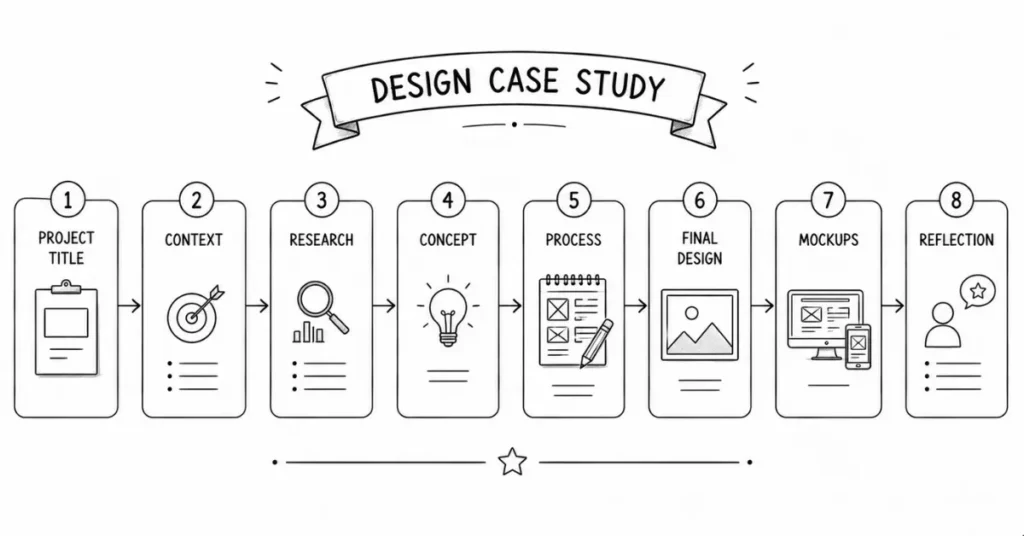
Basic Case Study Structure
- Project Title & Type
- “Brand Identity for Fictional Chai Café”
- “Landing Page Redesign for EdTech Startup (Self-Initiated)”
- “Brand Identity for Fictional Chai Café”
- Context / Brief
- Who is the brand or product for?
- What problem or goal were you solving?
- Real client or self-initiated project?
- Who is the brand or product for?
- Research & Insight (Short but Real)
- Target audience (age, interests, location).
- Key constraints or challenges.
- 2–3 lines on competitor or inspiration analysis.
- Target audience (age, interests, location).
- Concept / Idea
- What’s the big idea behind your solution?
- How did you want the design to make people feel?
- Any specific angle (e.g., “modern but rooted in Indian tradition”)
- What’s the big idea behind your solution?
- Design Process
- Sketches / wireframes / roughs.
- Color exploration, typography choices.
- Alternate options you considered.
- Sketches / wireframes / roughs.
- Final Designs
- Clean, high-quality images.
- Different views/variants.
- Clean, high-quality images.
- Realistic Mockups
- Brand on packaging, hoardings, app screens, social media, etc.
- Website designs shown on laptop + mobile mockups.
- Print/posters shown in real-world environments.
- Brand on packaging, hoardings, app screens, social media, etc.
- Reflection / Results
- What worked well?
- What would you improve next time?
- (For real clients) any outcomes or feedback.
- What worked well?
Two or three strong, story-based case studies impress more than 10 random screenshots.
Step 3: What If You Don’t Have Clients Yet?
You can still build a hire-worthy portfolio as a student or fresher.
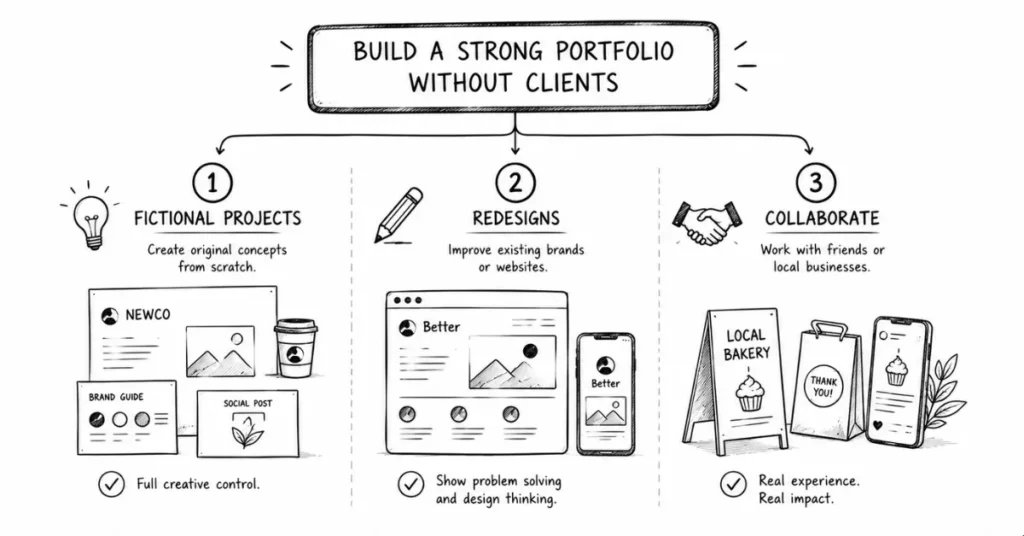
A. Self-Initiated / Fictional Projects
Examples:
- Branding for a fictional Hyderabad street food cloud kitchen.
- App UI/UX for TSRTC bus ticket booking with better usability.
- Visual identity for a regional music festival.
- Poster series about air pollution, water crisis, or women’s safety.
- Social media campaign for a local NGO or cause.
Make them feel real:
- Write a believable 3–4 line brief.Define the target audience like a real client.
- Keep the tone professional and realistic.
B. Redesign Existing Work
Pick things that annoy you visually and redesign them:
- A confusing government website page.
- An over-crowded local restaurant menu.
- A badly designed poster you see in your area.
- Old logos or identities from small businesses.Explain:
- What didn’t work in the original.
- What you changed and why.
- Before–after comparisons.
C. Collaborate with Friends and Local Businesses
- College fests and clubs always need posters, social media posts, and branding.
- Friends launching YouTube channels, podcasts, or small ventures need design.
- Local shop owners often appreciate a free or low-cost logo/board redesign.
These “small” projects add huge real-world weight to your portfolio
Step 4: Choosing the Right Platforms
You should have at least one polished home for your portfolio and a few supporting profiles.
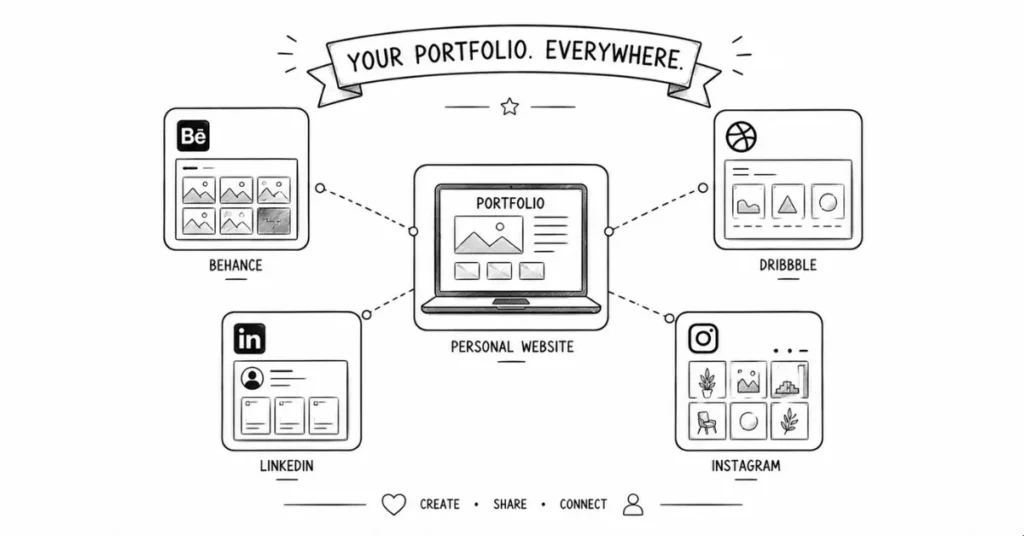
1. Your Own Website (Highly Recommended)
- Looks professional and shows you understand web/digital.
- You control the layout, structure, copy, and branding.
- Great for sending in job applications and client pitches.
You can build it using:
- WordPress + Elementor (perfect for you given your background).
- Webflow (designer-friendly, clean output).
- Wix / Squarespace (easier, less flexible but fine to start).
2. Behance
- Well-known among designers, agencies, and recruiters.
- Great for full case studies with multiple images, text, and process.
- Many Indian recruiters actually search here specifically.
Use Behance to:
- Host detailed project breakdowns.
- Join curated galleries and get featured (extra visibility).
- Link back to your personal website.
3. Dribbble (Optional but Good for UI/Visual Shots)
- Great for small visual snippets (single shots).
- Very popular for UI/UX and logo design.
- Not mandatory, but helpful for visual discovery.
4. LinkedIn
- Essential for Indian job market.
- Use your Featured section to highlight top 3–4 projects.
- Post short project breakdowns as content to attract leads and hiring managers.
5. Instagram (Visual Discovery)
- Good for building audience and showing style.
- Share carousels: before/after, process, case study snippets.
- Use India-specific and niche hashtags.
Step 5: Curating and Ordering Your Work
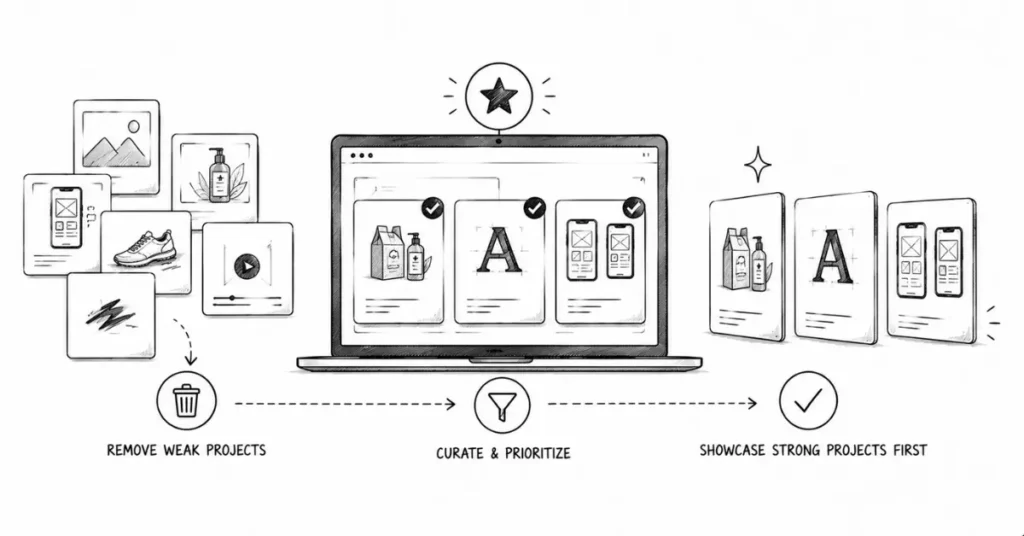
Your portfolio is not a dumping ground for everything you’ve ever done.
Curation Rules
- Lead with your strongest 2–3 projects.
- Remove anything you’re not proud of, even if it’s “real client work.”
- Don’t include school assignments that look weak just to show quantity.
- Show variety, but keep visual standards consistent.
Logical Order
C. Collaborate with Friends and Local Businesses
- 1–2 flagship, campaign-level or identity projects.
- 2–3 solid branding / web / UI pieces.
- 1 motion or video-related project (if you do this).
- 1–2 illustration or experimental pieces (show personality).
Think of it as designing a narrative about who you are and what you do best.
Step 6: Tailoring Your Portfolio for Different Goals
Lorem ipsum dolor sit amet, consectetur adipiscing elit. Ut elit tellus, luctus nec ullamcorper mattis, pulvinar dapibus leo.
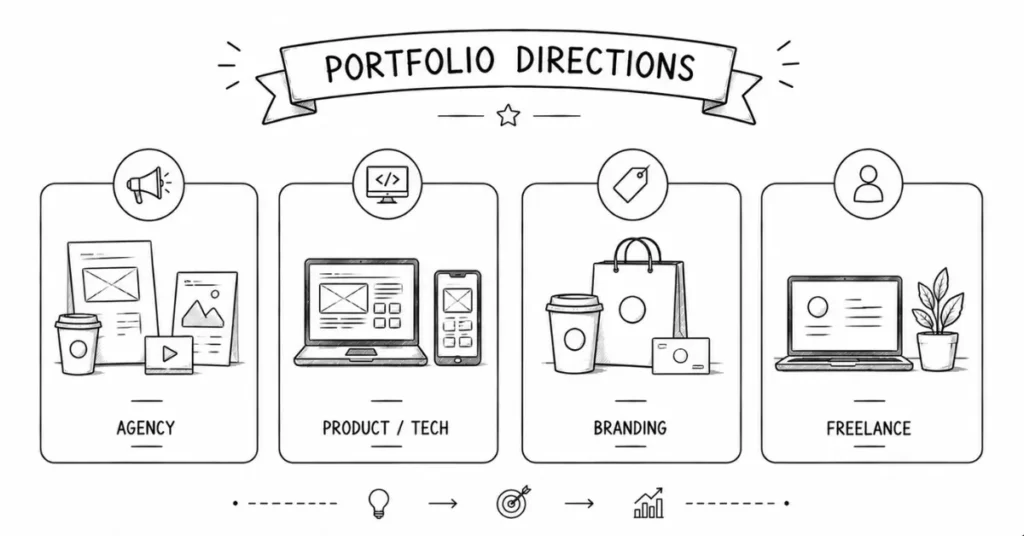
For Agency Jobs (Advertising / Creative / Digital)
- Show campaigns: multiple assets for one idea.
- Include social media, OOH, print, and digital where possible.
- Highlight speed, versatility, and concept strength.
For Product / Tech / Startup Design Roles
- Focus more on UI/UX, product screens, and flows.
- Show how your designs improve usability, not just looks.
- Include at least 2–3 web/app projects with simple UX reasoning.
For Branding / Identity Roles
- Strong logo + identity work.
- Brand guideline snippets.
- Consistent application across packaging, digital, and print.
For Freelance Clients (SMBs, Creators, etc.)
- Clear “before and after” transformations.
- Simple explanations (non-designers will be viewing).
- Show results: engagement, clarity, professionalism lift.
Step 7: Common Portfolio Mistakes to Avoid
- Too Many Low-Quality Projects
- Better: 8 great projects than 25 average ones.
- Better: 8 great projects than 25 average ones.
- No Context or Explanation
- Don’t just drop images. Add 3–5 short paragraphs of story per key project.
- Don’t just drop images. Add 3–5 short paragraphs of story per key project.
- All Work Looks the Same
- Show range in format and application (branding, social, web, etc.), even if you have a consistent aesthetic.
- Show range in format and application (branding, social, web, etc.), even if you have a consistent aesthetic.
- Excessive Mockup Spam
- 1–3 mockups per project are enough. Focus on clear close-ups of the design too.
- 1–3 mockups per project are enough. Focus on clear close-ups of the design too.
- Inconsistent Presentation Style
- Maintain similar image ratios, backgrounds, and typography across project pages.
- Maintain similar image ratios, backgrounds, and typography across project pages.
- Hard-to-Navigate Website
- Keep navigation simple: Home, Work/Projects, About, Contact.
- Keep navigation simple: Home, Work/Projects, About, Contact.
- No Clear Call-to-Action
Add an obvious way to contact you (email, form, LinkedIn link, WhatsApp for freelance).
Step 8: Turning Your Portfolio into a Lead-Generation Asset
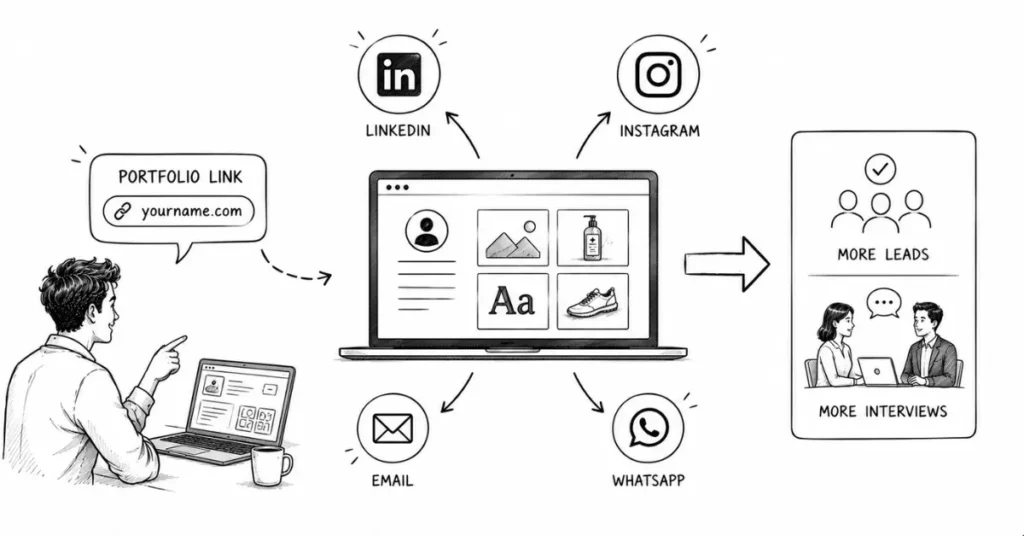
Once your portfolio is live, don’t just wait drive people to it.
- Share short case studies on LinkedIn and direct people to the full project.
- Join relevant Facebook or WhatsApp groups for design, startups, and SMB owners.
- Reach out via email to local businesses with a mini audit + link to related work.
- Add your portfolio link to all bios: LinkedIn, Instagram, email signature, WhatsApp.
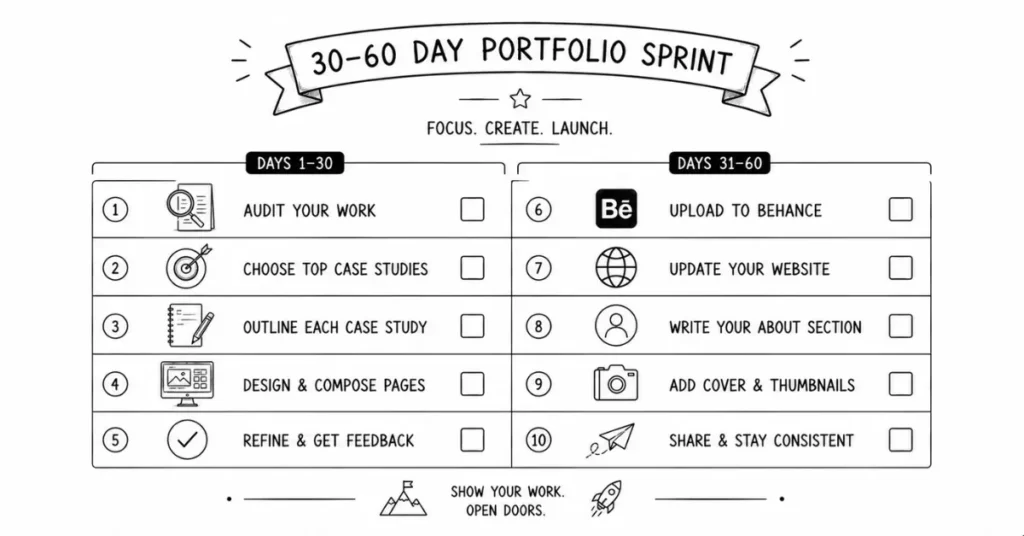
Action Plan: 30–60 Day Portfolio Build Sprint
Week 1
- Audit all your past work: client, college, self-initiated, experiments.
- Select top 10–15 candidates.
- Discard anything you wouldn’t proudly show.
Week 2
- Choose 4–6 projects to become full case studies.
- Collect raw files, exports, notes, and sketches.
- Write clear briefs and context for each.
Week 3
- Design presentation images and layouts in Figma/Photoshop.
- Create mockups for each project (3–5 per project).
- Finalize text and sequence for 2–3 projects.
week 4
- Set up Behance and upload detailed case studies.
- If possible, set up a basic website (WordPress + Elementor is perfect for you).
- Add About and Contact sections.
Week 5-8
- Refine copy and visuals based on feedback.
- Add remaining projects and remove weak ones.
- Start actively sharing and pitching with your portfolio.
Simple Structure for an “About” Section (India-Focused)
Keep it human and clear:
- Who you are (name, city, background).
- What you specialize in (e.g., “Branding and UI design for education and D2C brands”).
- Who you’ve helped (“early-stage startups, local businesses, educators”).
- How you work (remote / hybrid, languages you speak, tools you use).
- One personal line (interest, story, or belief about design).
- Clear CTA: “Email me at … for collaborations, projects, or roles.”