
Introduction: Why Platform Knowledge is Your Career Currency
Table of Contents
Introduction: Why Platform Knowledge is Your Career Currency
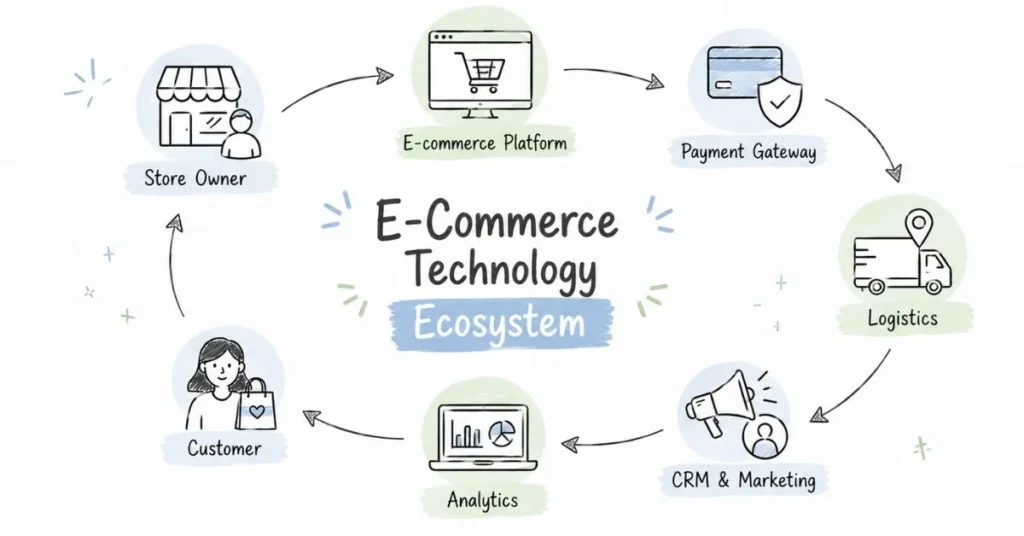
Here’s something nobody tells you when you start in e-commerce: knowing platforms isn’t just about building websites. It’s about understanding how digital commerce actually works. When I interview candidates, I can tell within 5 minutes who has hands-on platform experience versus who just read articles about it.
Think of e-commerce platforms like learning to drive. You can watch YouTube videos about driving, but until you’re behind the wheel feeling how the brake responds, understanding the clutch control, experiencing the car’s behavior you don’t really know driving. Same with e-commerce platforms.
In 2026, the Indian e-commerce technology landscape is more diverse than ever. From small kirana stores using WhatsApp Business to Reliance Retail’s sophisticated omnichannel systems, there’s a wide spectrum. This guide focuses on what you actually need to know to be employable, valuable, and future-ready.
Whether you want to build stores, manage them, market through them, or analyze them understanding these platforms is non-negotiable. Let’s dive in.
The Platform Selection Framework: What Powers Indian E-commerce
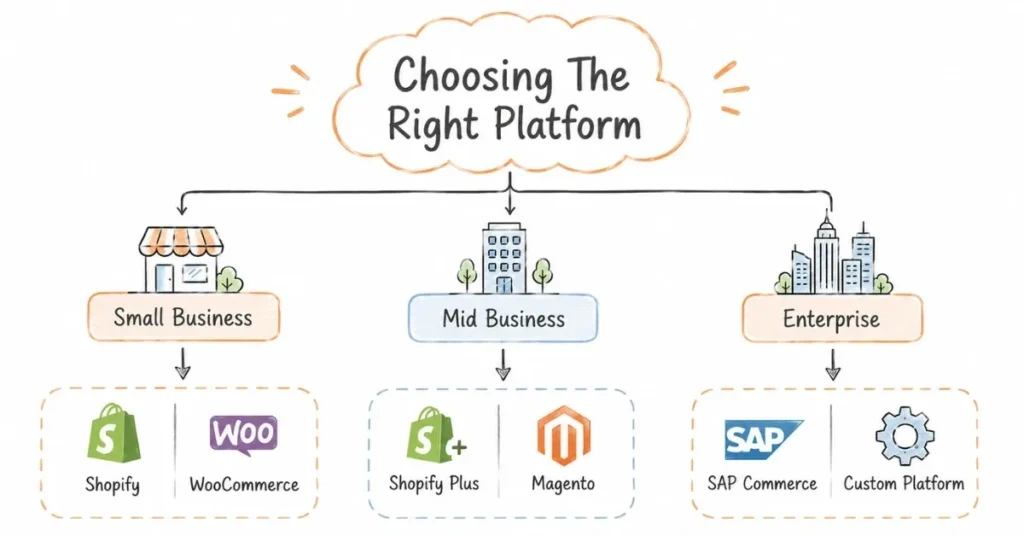
Before we deep-dive into specific platforms, understand this: there’s no “best” platform. There’s only “best for specific needs.”
Small businesses (₹10 lakhs – ₹2 crore annual revenue):
- Shopify (if they want ease)
- WooCommerce (if they want control and lower costs)
- Instagram/Facebook Shops (if they’re social-first)
Mid-sized businesses (₹2-50 crore annual revenue):
- Shopify Plus
- Custom WooCommerce setups
- Magento (Adobe Commerce)
- Selling on marketplaces (Amazon, Flipkart) + own website
Large enterprises (₹50+ crore revenue):
- Custom-built platforms
- Magento/Adobe Commerce
- SAP Commerce Cloud
- Omnichannel platforms like Vinculum, Unicommerce
Your career tip: Start with Shopify and WooCommerce. These cover 60% of opportunities in the Indian market. Once you master these, expanding to others is easier.
Shopify: The Beginner's Best Friend (and Beyond)
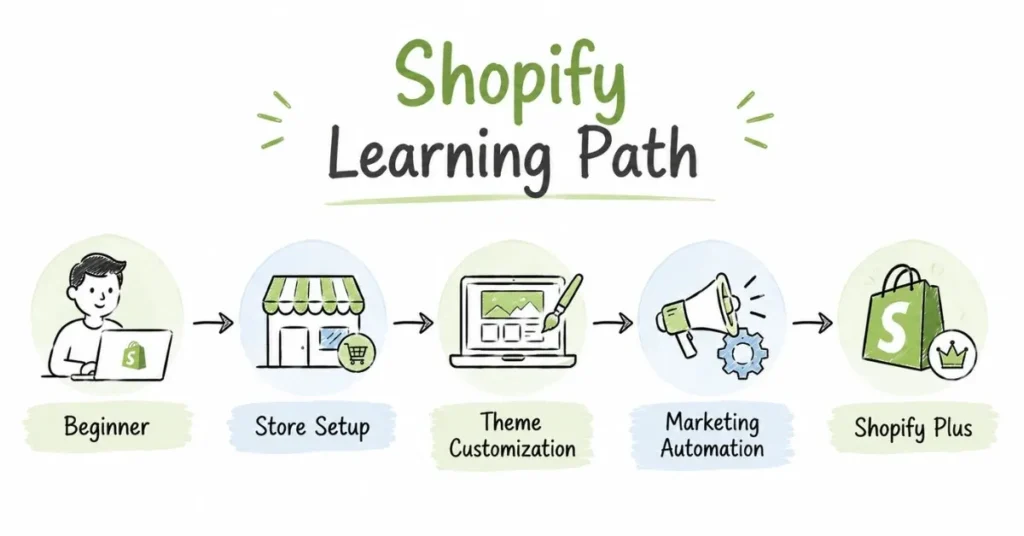
Why Shopify dominates Indian e-commerce learning:
Shopify is like the iPhone of e-commerce platforms it just works. No coding required for basics, clean interface, and you can set up a functional store in a day. This makes it perfect for learning and for thousands of small Indian businesses going online.
What you can do with Shopify:
Basic level (Week 1-2 learning):
- Set up a store with products, collections, and pages
- Configure Indian payment gateways (Razorpay, PayU, Instamojo, PhonePe)
- Set up shipping zones for different Indian states/cities
- Choose and customize themes
- Configure GST settings (crucial for India)
- Install apps from Shopify App Store
Intermediate level (Month 1-2 learning):
- Theme customization using Liquid (Shopify’s templating language)
- Advanced app integration (CRM, inventory management, WhatsApp)
- Discount and promotion strategies
- Abandoned cart recovery setup
- Email marketing automation
- Multi-language setup for reaching regional markets
- SEO optimization
Advanced level (Month 3-6 learning):
- Custom app development using Shopify API
- Headless commerce setup (using Shopify as backend, custom frontend)
- Shopify Plus features (for enterprise clients)
- Multi-currency and international expansion
- Complex workflow automation
Real Indian use case:
Rohan started a sustainable fashion brand in Ahmedabad. Within 3 days on Shopify:
- Set up store with 50 products
- Configured Razorpay for UPI, cards, wallets, COD
- Set up shipping with Shiprocket integration
- Launched Instagram/Facebook shop integration
- Started selling
First month: ₹1.2 lakhs revenue. Within 6 months: ₹8-10 lakhs monthly. Shopify’s ease allowed him to focus on products and marketing, not technical headaches.
Career opportunities with Shopify:
- Shopify Developer: ₹4-15 LPA (depending on experience)
- Shopify Expert/Consultant: ₹30,000-2 lakhs per project
- Shopify Theme Customizer: ₹25,000-1 lakh per project
- Shopify App Developer: ₹50,000-5 lakhs per app depending on complexity
How to learn Shopify (Free resources):
- Shopify Learn: Official free courses covering everything
- YouTube: Channels like “Shopify Tutorials” and “Learn with Shopify”
- Shopify Partner Program: Join free, access development stores (free test stores)
- Practice Project: Build a dummy store selling anything. Spend 2-3 days exploring every feature
Paid courses worth considering:
- Udemy Shopify courses (₹500-1,500 during sales)
- Skillshare Shopify classes (₹1,000-1,500/month subscription)
Pro tip for Indian market: Learn Shiprocket integration well. Almost every Indian Shopify store uses it for logistics. Also, understand COD reconciliation (cash on delivery settlements) this is uniquely important in India.
WooCommerce: The Flexible Powerhouse
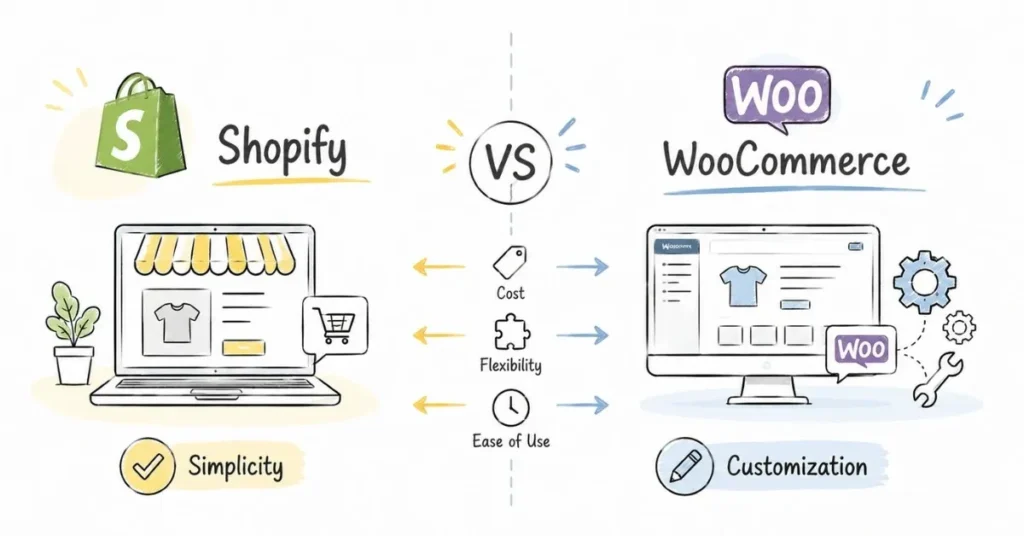
Why WooCommerce matters in India:
WooCommerce is free (open-source) and runs on WordPress, which powers 40% of the internet. For budget-conscious Indian businesses or those wanting complete control, WooCommerce is often the choice.
Key advantages over Shopify:
- Cost: Shopify charges monthly fees (₹1,800-25,000+ depending on plan). WooCommerce core is free; you only pay for hosting (₹200-2,000/month)
- Control: Complete access to code, database, everything
- Customization: If you can imagine it, you can build it
- Content+Commerce: Since it’s on WordPress, combining blog and store is seamless
Key disadvantages:
- Technical knowledge needed: You need to understand hosting, domains, WordPress basics
- Maintenance: You’re responsible for updates, security, backups
- No built-in support: Shopify has 24/7 support; WooCommerce support depends on your hosting/developer
What you can do with WooCommerce:
Basic level:
- Install WordPress and WooCommerce plugin
- Set up products, categories, and payment gateways
- Choose and customize themes (many free options)
- Configure shipping zones and methods
- Set up Indian GST calculations
- Install essential plugins (security, SEO, optimization)
Intermediate level:
- Advanced plugin integration (CRM, marketing automation, inventory)
- Custom product types (subscriptions, bookings, memberships)
- Multi-vendor marketplace (like Flipkart model) using plugins like Dokan
- Speed optimization and SEO
- Custom checkout flows
- WhatsApp integration for order notifications
Advanced level:
- Custom plugin development
- REST API integration with other systems
- Custom payment gateway development
- Progressive Web App (PWA) implementation
- Headless WooCommerce setups
Real Indian use case:
Sneha ran a home-based organic food business in Kerala. Budget was tight (₹30,000 total for website). Options:
- Shopify: ₹1,800/month = ₹21,600/year recurring + apps cost
- WooCommerce: ₹5,000 one-time for domain+hosting+theme + ₹2,500/year renewal
She chose WooCommerce. Her cousin (engineering student) helped set it up. First year: ₹15 lakhs revenue with minimal recurring tech costs. The savings allowed her to invest more in marketing and quality products.
Career opportunities with WooCommerce:
- WooCommerce Developer: ₹3-12 LPA
- WordPress + WooCommerce Specialist: ₹25,000-1.5 lakhs per project
- WooCommerce Agency Owner: ₹5-50 lakhs annual income (depending on clients)
- Freelance Developer: ₹500-2,500/hour
How to learn WooCommerce:
- WordPress.org tutorials: Free official documentation
- YouTube channels: “WPBeginner,” “WPCrafter” have excellent WooCommerce series
- Practice: Get cheap hosting (Hostinger, Bluehost start at ₹200/month), install WordPress + WooCommerce, build a test store
- Join Facebook groups: “WooCommerce India” has 15,000+ members helping each other
India-specific considerations:
- Learn to integrate Indian payment gateways (Razorpay, CCAvenue, PayU WooCommerce plugins)
- Understand GST plugin setup (WooCommerce doesn’t have built-in Indian GST; requires plugins)
- Shipping plugin integration (Shiprocket, Delhivery have WooCommerce plugins)
- WhatsApp order notifications (very important for Indian customers)
Magento (Adobe Commerce): Enterprise E-commerce
Who uses Magento in India:
Large brands with complex requirements think multi-brand stores, B2B + B2C on same platform, multiple countries, complex inventory management. Companies like Godrej, Tata, and many large fashion brands use Magento.
Why you should know about it (even if you don’t specialize):
If you’re aiming for senior roles or enterprise clients, understanding Magento’s capabilities helps you appreciate what enterprise e-commerce involves. You’ll have more informed conversations with tech teams and vendors.
Career opportunities:
Magento developers are in high demand but low supply in India:
- Magento Developer: ₹6-20 LPA
- Magento Solution Architect: ₹15-35 LPA
- Freelance Magento Consultant: ₹75,000-3 lakhs per project
Learning curve:
Magento is significantly more complex than Shopify or WooCommerce. Expect 3-6 months of dedicated learning to become functional. Most people specialize in Magento after mastering simpler platforms first.
Should you learn it?
- Yes, if: You’re technically strong, want to work with enterprise clients, okay with steep learning curve
- No, if: You’re just starting, prefer quicker wins, interested in small-medium businesses
Indian Marketplace Seller Platforms: Amazon, Flipkart, Meesho
Why these matter:
Many Indian e-commerce jobs involve managing brand presence on marketplaces, not just brand websites. “Marketplace Manager” is a distinct role (₹5-15 LPA depending on experience).
Amazon Seller Central:
Key modules to understand:
- Listing creation and optimization (keywords, images, A+ content)
- Inventory management (FBA vs. self-fulfilled)
- Advertising (Sponsored Products, Sponsored Brands)
- Pricing strategies (Buy Box optimization)
- Seller performance metrics
- Catalog management and variations
Career opportunity: Many agencies and brands need Amazon specialists. Freelancers charge ₹25,000-1.5 lakhs monthly for managing brand accounts.
Flipkart Seller Hub:
Similar to Amazon but with India-specific nuances:
- Different categorization system
- Different advertising platform
- Strong in fashion and electronics
- Important during Big Billion Day (their festive sale)
Meesho & Social Commerce:
Fast-growing in tier 2/3 India. Understanding how reseller networks work, social selling, and low-ticket-size optimization is valuable knowledge.
Payment Gateways: The Money Flow You Must Understand
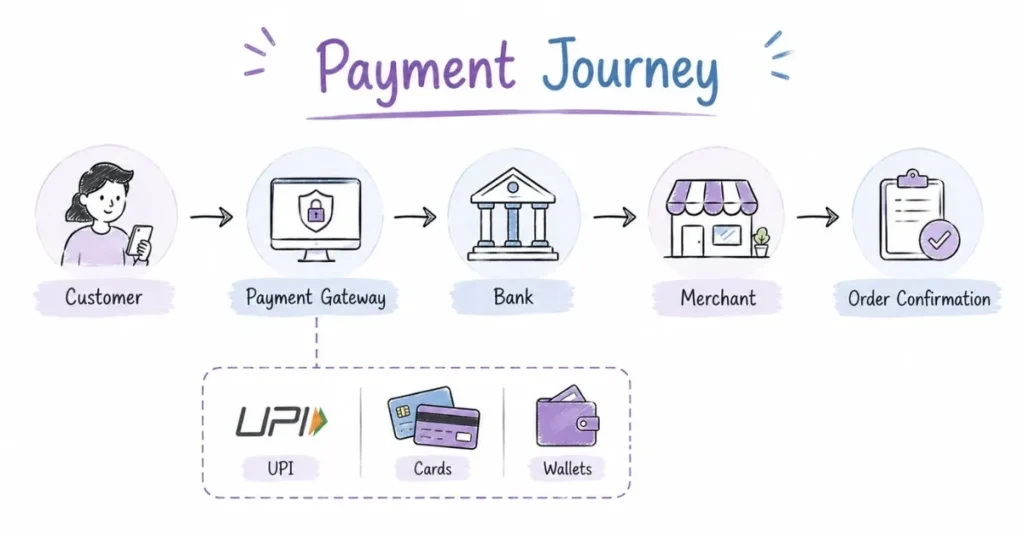
In India, payment complexity is unique. Unlike the West where cards dominate, we have:
Payment methods Indians use:
- UPI (50% of online transactions)
- Cards (credit/debit)
- Wallets (Paytm, PhonePe, Google Pay)
- Net Banking
- COD (Cash on Delivery) still 30-40% in tier 2/3 cities
- EMI options
- Buy Now Pay Later (Simpl, LazyPay, ZestMoney)
Major payment gateways for India:
Razorpay (Most popular for startups/SMEs):
- Easy integration (Shopify, WooCommerce, custom websites)
- Pricing: 2% per transaction
- Features: Subscriptions, smart routing, instant settlements
- Support for all Indian payment methods
PayU:
- Strong in high-volume businesses
- Slightly lower transaction fees for large volumes
- Good for marketplaces
Instamojo:
- Very beginner-friendly
- Good for freelancers and micro-businesses
- Simple payment links (don’t even need a website)
PhonePe/Paytm:
- More than wallets, they offer payment gateway services
- Good brand trust among Indian consumers
What you need to know:
- Integration process (API basics
- Transaction fees (affects business profitability)
- Settlement cycles (when does money reach bank? Next day, 3 days, 7 days?)
- Failure rates (some gateways have higher success rates)
- COD availability and reconciliation
Career angle: Understanding payment gateway economics helps in roles like E-commerce Manager, Operations Manager. You’ll make informed decisions about which gateway to use, negotiate better rates, and troubleshoot payment issues.
CRM & Marketing Automation: The Retention Technology
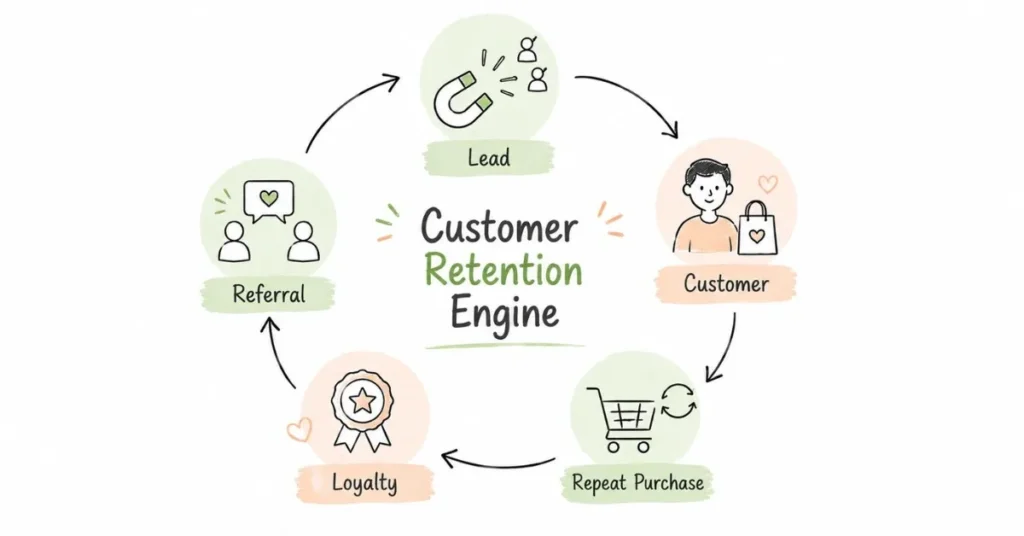
Acquiring customers is expensive. Retaining them is cheaper. CRM (Customer Relationship Management) and marketing automation help with retention.
Popular tools in Indian e-commerce:
Zoho CRM (Indian company, very popular here):
- Affordable (₹1,200/user/month)
- Complete customer data management
- Integration with most e-commerce platforms
- Marketing automation included
HubSpot:
- Free tier available (good for learning)
- Powerful marketing automation
- Email campaigns, lead scoring, workflows
- Popular with D2C brands
CleverTap/MoEngage (Indian alternatives):
- Focused on mobile app engagement
- Push notifications, in-app messages
- User segmentation and targeting
- Many Indian apps use these
WhatsApp Business API:
- Huge in India (everyone uses WhatsApp)
- Order confirmations, shipping updates, customer support via WhatsApp
- Providers: Gupshup, Interakt, AiSensy
What you should know:
- Customer segmentation (grouping customers by behavior)
- Email automation workflows (welcome series, abandoned cart, win-back campaigns)
- Personalization (showing different content to different customer segments)
- Analytics (open rates, click rates, conversion from campaigns)
Career value: CRM knowledge is valuable for Marketing Managers, E-commerce Managers, Customer Success roles. Many companies need “CRM Specialists” (₹5-12 LPA).
Analytics & Data Tools: Understanding What's Working
You can’t improve what you don’t measure.
Google Analytics (Non-negotiable to learn):
What it tracks:
- Website traffic (how many people visit)
- Traffic sources (Google, Facebook, direct, etc.)
- User behavior (which pages they visit, how long they stay)
- Conversion tracking (who buys, who doesn’t)
- E-commerce specific metrics (average order value, cart abandonment rate)
Why it’s crucial: Every e-commerce professional needs GA basics. Whether you’re in marketing, operations, or management data literacy matters.
Learning resource: Google Analytics Academy (free certification courses)
Google Tag Manager:
Allows you to add tracking codes without asking developers. Sounds technical but actually empowers non-technical people. Learn this alongside Google Analytics.
Hotjar/Microsoft Clarity:
Visual analytics see recordings of how users navigate your website, where they click, where they get stuck. Heatmaps show which parts of pages get attention.
Career angle: “Data Analyst E-commerce” roles (₹4-15 LPA) require deep knowledge of these tools plus Excel/SQL. Even if that’s not your role, basic proficiency makes you 10x more effective.
AI & Automation Tools in 2026: The New Essential Skills
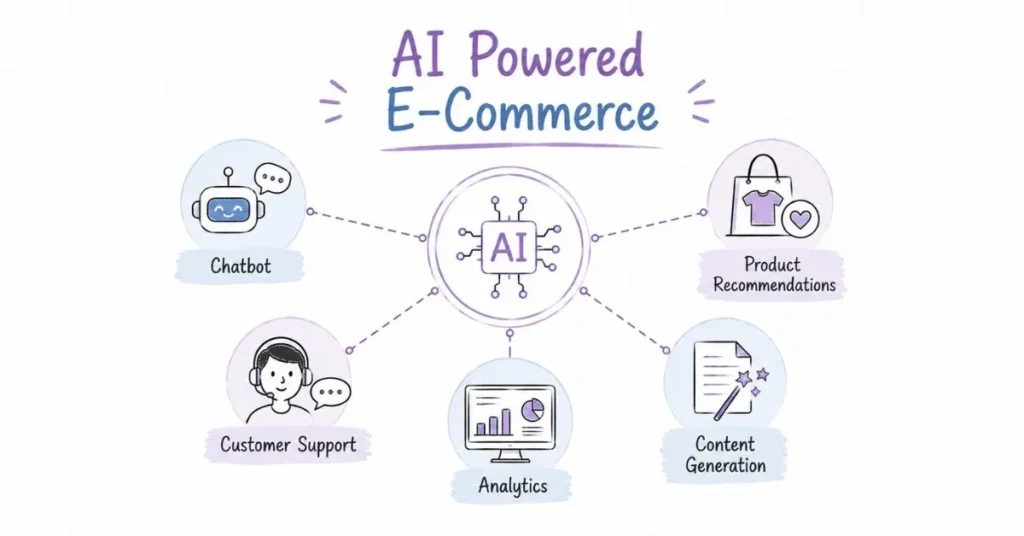
Chatbots & AI Customer Service:
Tools like Tidio, Drift, Intercom provide AI chatbots that handle common customer queries:
- “Where is my order?”
- “What’s your return policy?”
- “Is this product available in blue?”
80% of queries are repetitive. AI handles these, humans handle complex ones.
AI Product Recommendations:
Ever noticed “Customers who bought this also bought…”? That’s recommendation engines. Platforms like Rebuy (for Shopify) or custom ML models power these.
AI-Generated Content:
- Product descriptions (tools like Jasper, Copy.ai)
- Ad copies
- Email subject lines
- SEO content
Important: AI assists, doesn’t replace. Humans still need to review, edit, add brand voice.
Visual AI:
- Automatic background removal from product photos
- Style transfer (make product photos look consistent)
- Visual search (upload image, find similar products)
Career preparation: You don’t need to code AI, but understanding what AI can do, its limitations, and how to use AI tools makes you future-ready. Companies are looking for “AI-savvy” e-commerce professionals.
Omnichannel Technology: Blending Online & Offline
What is omnichannel?
Customer shops on website, tries in physical store, buys via app, picks up from store. Seamless experience across channels.
Technology enabling this:
POS Systems (Point of Sale):
- Tablets/devices in physical stores
- Integrated with online inventory
- Customer walks into store, salesperson can see their online browsing history
- Examples: Lightspeed, Shopify POS, Pine Labs
Inventory Management Systems:
- Real-time sync between online and offline inventory
- Prevents overselling
- Examples: Zoho Inventory, Unicommerce, Vinculum
Order Management Systems (OMS):
- Customer orders online, can return in store
- Or orders online, picks up from nearby store (BOPIS – Buy Online Pick-up In Store)
Why this matters for careers:
Retail giants like Reliance, Tata, Shoppers Stop are going omnichannel. They need people who understand both digital and physical retail. “Omnichannel Manager” roles are emerging (₹10-22 LPA).
Your Learning Roadmap: 90-Day Platform Mastery Plan
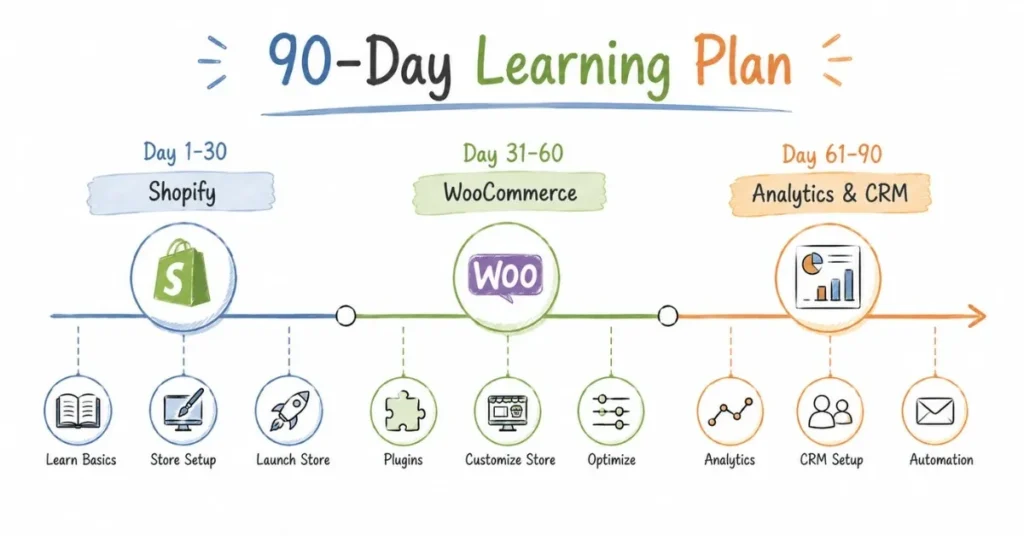
Days 1-30: Shopify Deep Dive
- Week 1: Set up demo store, explore all features
- Week 2: Theme customization, app exploration
- Week 3: Marketing features, analytics
- Week 4: Build complete demo store with 50 products, fully functional
Days 31-60: WooCommerce & WordPress
- Week 5: Get hosting, install WordPress + WooCommerce
- Week 6: Build functional store, explore plugins
- Week 7: Payment gateway integration, Indian-specific setups
- Week 8: Speed optimization, SEO basics
Days 61-90: Adjacent Technologies
- Week 9: Google Analytics deep dive (complete Google’s free course)
- Week 10: Payment gateways, understand transaction flows
- Week 11: Basic CRM (HubSpot free tier, explore features)
- Week 12: Consolidate learning, build portfolio pieces
By Day 90: You’ll have hands-on experience with the two most important platforms plus analytical and marketin
Platform Certifications Worth Getting
Free & Valuable:
- Google Analytics Individual Qualification (GAIQ)
- Google Digital Garage Certification
- HubSpot Content Marketing Certification
- Facebook Blueprint Certification
Paid but Worth It:
- Shopify Partner Academy courses (free for partners)
- Udemy courses during sales (₹500-1,500)
Not worth it (my opinion):
- Expensive certifications from unknown institutes (₹50,000+ courses promising “e-commerce expertise”)
Certificates don’t matter as much as demonstrable skills
Conclusion: Platforms Change, Fundamentals Don't
In 2016, people were learning Magento. In 2020, Shopify dominated conversations. In 2026, AI tools are the buzz. In 2030, who knows?
Here’s what doesn’t change: Understanding how e-commerce works product catalog management, payment flows, order fulfillment, customer journey, analytics.
Learn platforms not as ends in themselves, but as tools to understand e-commerce fundamentals. When a new platform emerges, you’ll adapt quickly because you understand what needs to happen underneath.
Start with Shopify, add WooCommerce, sprinkle in analytics and CRM knowledge, and you’ll be ahead of 90% of people claiming to “know e-commerce.”
The best time to start was yesterday. The second-best time is right now. Open Shopify, start that 14-day trial, and begin your platform mastery journey today.